> ## Documentation Index
> Fetch the complete documentation index at: https://embed.usesticker.com/llms.txt
> Use this file to discover all available pages before exploring further.
# Quickstart
> Get your Sticker integration up and running in minutes
## Overview
This guide walks you through integrating Sticker into your platform. The entire process takes approximately **2-4 hours** and requires implementing two API endpoints.
## Prerequisites
Before you begin, make sure you have:
* **Partner API Key** (provided by Sticker team)
* **Partner ID** (UUID provided by Sticker team)
Contact us at [suyash@usesticker.com](mailto:suyash@usesticker.com) to get your credentials.
* Backend server capable of making HTTPS requests
* Frontend capable of rendering iframes
* HTTPS enabled (required for production)
***
## Integration Steps
Contact the Sticker team to receive your:
* **Partner ID** (UUID)
* **Partner API Key** (starts with `sk_live_` or `sk_test_`)
* **API Base URL**
```bash theme={null}
# Store these securely in your environment variables
STICKER_API_KEY=sk_live_your_api_key_here
STICKER_API_URL=https://api.usesticker.com/v1
```
When a customer enables the supplies module, call the organization setup endpoint to provision their account.
**Endpoint:** `POST /v1/organizations/setup`
`internalOrgId` must uniquely identify the customer business, not the Sticker module or marketplace. Use the same `internalOrgId` only for employees of the same business. Use a different `internalOrgId` for every distinct business, store, practice, school, or company.
```javascript theme={null}
const response = await fetch('https://api.usesticker.com/v1/organizations/setup', {
method: 'POST',
headers: {
'Authorization': `Bearer ${process.env.STICKER_API_KEY}`,
'Content-Type': 'application/json',
},
body: JSON.stringify({
// Your internal organization identifier
internalOrgId: 'org-12345',
organizationName: 'Acme Medical Practice',
// Your internal user identifier
internalUserId: 'user-789',
user: {
firstName: 'Dr. Jane',
lastName: 'Smith',
email: 'jane@acmemedical.com',
phoneNumber: '555-0100' // Optional
},
// Shipping locations (optional but recommended)
shippingLocations: [
{
internalShippingLocationId: 'loc-001',
name: 'Main Office',
address: {
line1: '123 Medical Plaza',
line2: 'Suite 200', // Optional
city: 'San Francisco',
province: 'California', // Full state name or abbreviation
postalCode: '94102',
country: 'United States' // Optional, defaults to US
},
isDefault: true
}
]
})
});
const result = await response.json();
// Store result.data.profile.id for future handshake calls
```
The `internalOrgId` and `internalUserId` are **your** internal identifiers. `internalOrgId` maps to the business organization; `internalUserId` maps to the employee/user profile.
Every time a user opens the supplies module, call the handshake endpoint to authenticate them.
**Endpoint:** `POST /v1/partner/handshake`
```javascript theme={null}
const response = await fetch('https://api.usesticker.com/v1/partner/handshake', {
method: 'POST',
headers: {
'X-API-Key': process.env.STICKER_API_KEY,
'Content-Type': 'application/json',
},
body: JSON.stringify({
internal_user_id: 'user-789' // Your internal user ID
})
});
const { session_key, iframe_embed_url } = await response.json();
// Use iframe_embed_url directly, or build your own URL with session_key
```
Session tokens expire after **5 minutes** and are **single-use only**. Generate a new one for each user session.
Use the returned `iframe_embed_url` or construct your own URL with the `session_key`:
```jsx theme={null}
// React/Next.js example
```
```html theme={null}
```
The iframe should take up your full content area. We recommend setting `height: 100vh` or using a container that fills available space.
Use the sandbox environment to test before going live.
* [ ] Organization setup creates profile correctly
* [ ] Handshake returns valid session tokens
* [ ] iframe loads and displays products
* [ ] User can add items to cart
* [ ] Checkout process completes successfully
* [ ] User can view order history
***
## Code Examples
Choose your preferred language/framework:
```javascript Node.js/Express theme={null}
const express = require('express');
const app = express();
const STICKER_API_KEY = process.env.STICKER_API_KEY;
const STICKER_API_URL = 'https://api.usesticker.com/v1';
// One-time: Organization Setup
app.post('/enable-supplies', async (req, res) => {
const { organization, user } = req.body;
const response = await fetch(`${STICKER_API_URL}/organizations/setup`, {
method: 'POST',
headers: {
'Authorization': `Bearer ${STICKER_API_KEY}`,
'Content-Type': 'application/json',
},
body: JSON.stringify({
internalOrgId: organization.id,
organizationName: organization.name,
internalUserId: user.id,
user: {
firstName: user.firstName,
lastName: user.lastName,
email: user.email
},
shippingLocations: organization.locations?.map(loc => ({
internalShippingLocationId: loc.id,
name: loc.name,
address: {
line1: loc.address.line1,
city: loc.address.city,
province: loc.address.state,
postalCode: loc.address.zip
},
isDefault: loc.isPrimary
}))
})
});
const data = await response.json();
// Store profile.id in your database
await db.organizations.update(organization.id, {
stickerProfileId: data.data.profile.id
});
res.json({ success: true, data });
});
// Per-session: User Handshake
app.post('/supplies/auth', async (req, res) => {
const { userId } = req.body;
const response = await fetch(`${STICKER_API_URL}/partner/handshake`, {
method: 'POST',
headers: {
'X-API-Key': STICKER_API_KEY,
'Content-Type': 'application/json',
},
body: JSON.stringify({
internal_user_id: userId
})
});
const data = await response.json();
res.json({
session_key: data.session_key,
iframe_url: data.iframe_embed_url
});
});
```
```python Python/FastAPI theme={null}
from fastapi import FastAPI, HTTPException
import httpx
import os
app = FastAPI()
STICKER_API_KEY = os.getenv("STICKER_API_KEY")
STICKER_API_URL = "https://api.usesticker.com/v1"
@app.post("/enable-supplies")
async def enable_supplies(organization: dict, user: dict):
"""One-time organization setup"""
async with httpx.AsyncClient() as client:
response = await client.post(
f"{STICKER_API_URL}/organizations/setup",
headers={
"Authorization": f"Bearer {STICKER_API_KEY}",
"Content-Type": "application/json",
},
json={
"internalOrgId": organization["id"],
"organizationName": organization["name"],
"internalUserId": user["id"],
"user": {
"firstName": user["first_name"],
"lastName": user["last_name"],
"email": user["email"]
},
"shippingLocations": [
{
"internalShippingLocationId": loc["id"],
"name": loc["name"],
"address": {
"line1": loc["address"]["line1"],
"city": loc["address"]["city"],
"province": loc["address"]["state"],
"postalCode": loc["address"]["zip"]
},
"isDefault": loc.get("is_primary", False)
}
for loc in organization.get("locations", [])
]
}
)
response.raise_for_status()
return response.json()
@app.post("/supplies/auth")
async def supplies_auth(user_id: str):
"""Per-session user handshake"""
async with httpx.AsyncClient() as client:
response = await client.post(
f"{STICKER_API_URL}/partner/handshake",
headers={
"X-API-Key": STICKER_API_KEY,
"Content-Type": "application/json",
},
json={"internal_user_id": user_id}
)
response.raise_for_status()
data = response.json()
return {
"session_key": data["session_key"],
"iframe_url": data["iframe_embed_url"]
}
```
```ruby Ruby/Rails theme={null}
class SuppliesController < ApplicationController
STICKER_API_KEY = ENV['STICKER_API_KEY']
STICKER_API_URL = 'https://api.usesticker.com/v1'
# One-time: Organization Setup
def enable
response = HTTParty.post(
"#{STICKER_API_URL}/organizations/setup",
headers: {
'Authorization' => "Bearer #{STICKER_API_KEY}",
'Content-Type' => 'application/json'
},
body: {
internalOrgId: params[:organization][:id],
organizationName: params[:organization][:name],
internalUserId: params[:user][:id],
user: {
firstName: params[:user][:first_name],
lastName: params[:user][:last_name],
email: params[:user][:email]
},
shippingLocations: params[:organization][:locations]&.map do |loc|
{
internalShippingLocationId: loc[:id],
name: loc[:name],
address: {
line1: loc[:address][:line1],
city: loc[:address][:city],
province: loc[:address][:state],
postalCode: loc[:address][:zip]
},
isDefault: loc[:is_primary] || false
}
end
}.to_json
)
render json: response.parsed_response
end
# Per-session: User Handshake
def authenticate
response = HTTParty.post(
"#{STICKER_API_URL}/partner/handshake",
headers: {
'X-API-Key' => STICKER_API_KEY,
'Content-Type' => 'application/json'
},
body: {
internal_user_id: params[:user_id]
}.to_json
)
data = response.parsed_response
render json: {
session_key: data['session_key'],
iframe_url: data['iframe_embed_url']
}
end
end
```
***
## What the Embedded Experience Looks Like
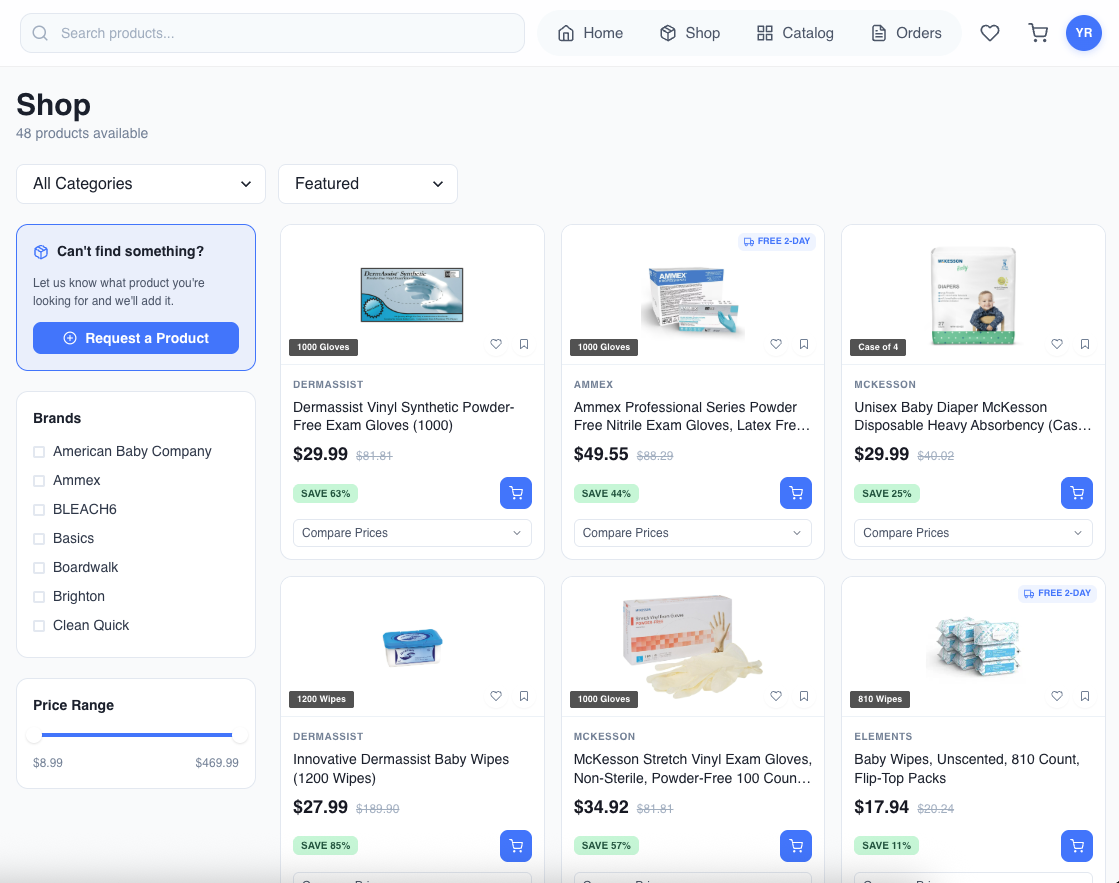
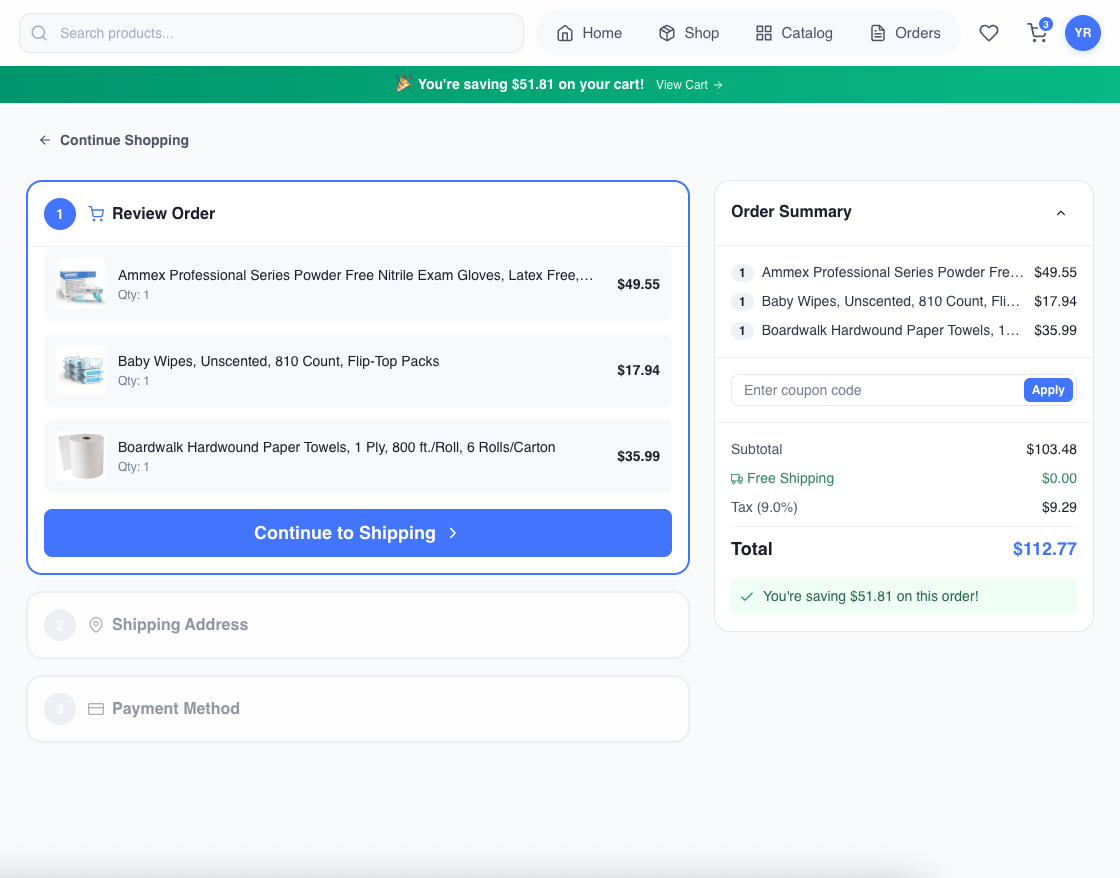
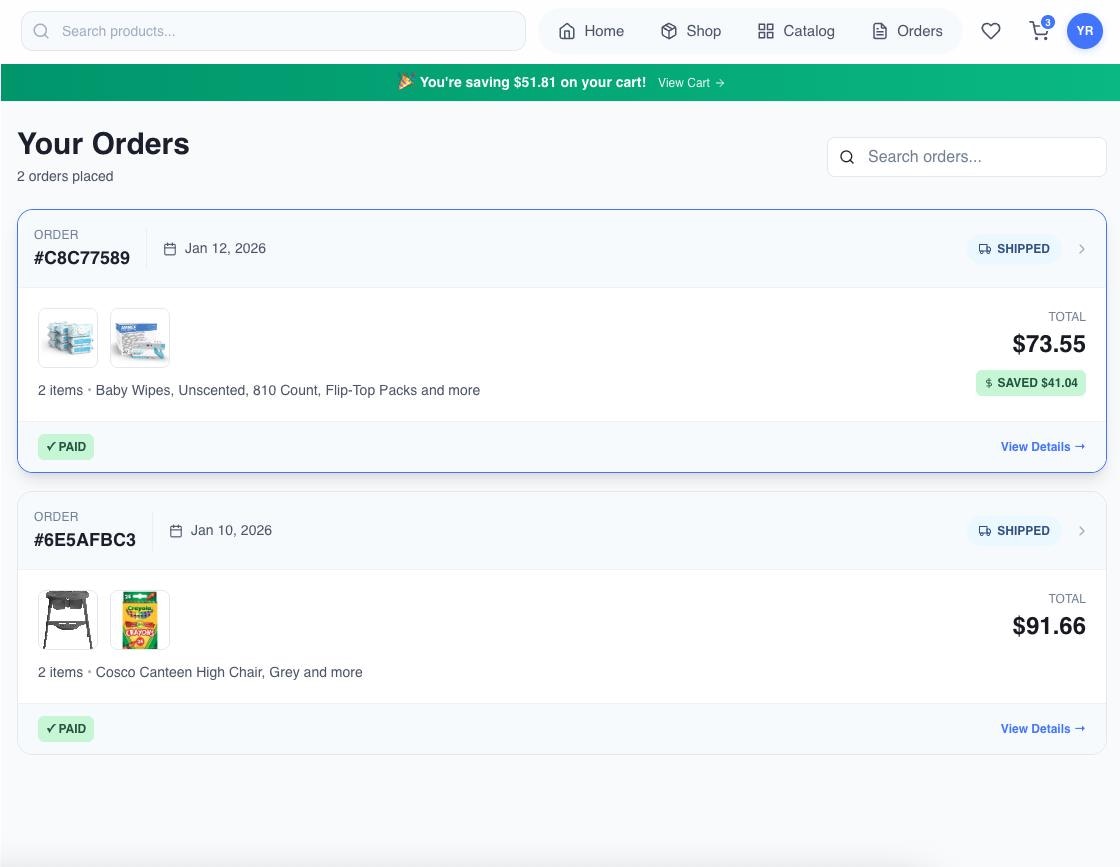 ***
## Next Steps
Complete API reference for provisioning organizations
Complete API reference for session authentication
Best practices for embedding the iframe in your app
Security considerations and best practices
***
## Getting Help
Need assistance? Our team is available to help you with your integration:
* **Email:** [suyash@usesticker.com](mailto:suyash@usesticker.com)
* **Schedule a call:** [calendly.com/usesticker/meeting](https://calendly.com/usesticker/meeting)
***
## Next Steps
Complete API reference for provisioning organizations
Complete API reference for session authentication
Best practices for embedding the iframe in your app
Security considerations and best practices
***
## Getting Help
Need assistance? Our team is available to help you with your integration:
* **Email:** [suyash@usesticker.com](mailto:suyash@usesticker.com)
* **Schedule a call:** [calendly.com/usesticker/meeting](https://calendly.com/usesticker/meeting)